

FDALabel Search Strategy Builder
What are you looking for?
To get the best results from FDALabel, start by defining what information is critical. Different users need different depths of data.
- Patient Check side effects or ingredients.
- Researcher Compare warnings across drug classes.
- Regulatory Verify official approved language.
Filter by Product Category
FDALabel contains over 149,000 documents. Filtering by category prevents irrelevant results from cluttering your view.
Refine by Label Section
This is the "game-changer" feature. Instead of searching the whole document, target specific sections.
Keywords & Terminology
How you phrase your query matters. Medical terminology varies between manufacturers.
Using MedDRA terms ensures you capture all variations of a symptom (e.g., 'dizziness' vs 'vertigo') across different labels, essential for comprehensive safety studies.
Exporting Your Data
Once you have your results, how do you analyze them?
CSV File
Good for simple data lists.
Excel (.xlsx)
Includes metadata sheet & result links. Recommended.
Finding the exact safety warning or ingredient list for a specific medication shouldn't feel like digging through a mountain of paperwork. Yet, that is exactly what happens when you rely on generic search engines or scattered PDFs. The FDALabel database is a free, web-based tool developed by the U.S. Food and Drug Administration (FDA) that allows users to search over 149,000 drug labeling documents with precision. It cuts through the noise by letting you search inside specific sections of these labels, such as Boxed Warnings or Adverse Reactions, rather than just scanning titles.
This isn't just another directory of drugs. It is a powerful research engine built on Structured Product Labeling (SPL) data. Whether you are a pharmacist checking for interactions, a researcher tracking side effects, or a patient trying to understand what's in your prescription, FDALabel gives you direct access to the official language used by manufacturers. Let's look at how to use it effectively without getting lost in technical jargon.
What Is FDALabel and Why Does It Matter?
At its core, FDALabel is a portal into the FDA's massive archive of drug information. Maintained by the National Center for Toxicological Research (NCTR), this tool hosts labeling documents for human prescription drugs, biological products, over-the-counter (OTC) medications, and even animal drugs. As of July 2024, Version 2.9 of the database contains more than 149,000 documents, updated twice every month.
Why does this matter? Because drug labels are legal documents. They contain the most accurate, up-to-date information about how a drug works, its risks, and who should avoid it. Unlike third-party health sites that might summarize or paraphrase this info, FDALabel shows you the raw text submitted by the manufacturer and approved by regulators. This distinction is critical when you need to verify a specific claim or find a rare side effect mentioned in fine print.
| Feature | FDALabel Database | General Web Search |
|---|---|---|
| Data Source | Official FDA SPL Archive | Mixed sources (blogs, news, commercial sites) |
| Search Depth | Full text + Section-specific (e.g., Warnings) | Title and snippet only |
| Update Frequency | Twice monthly | Variable, often delayed |
| Cost | Free | Free (but ad-supported) |
| Export Options | CSV and Excel (with metadata) | Copy-paste only |
How to Navigate the Interface
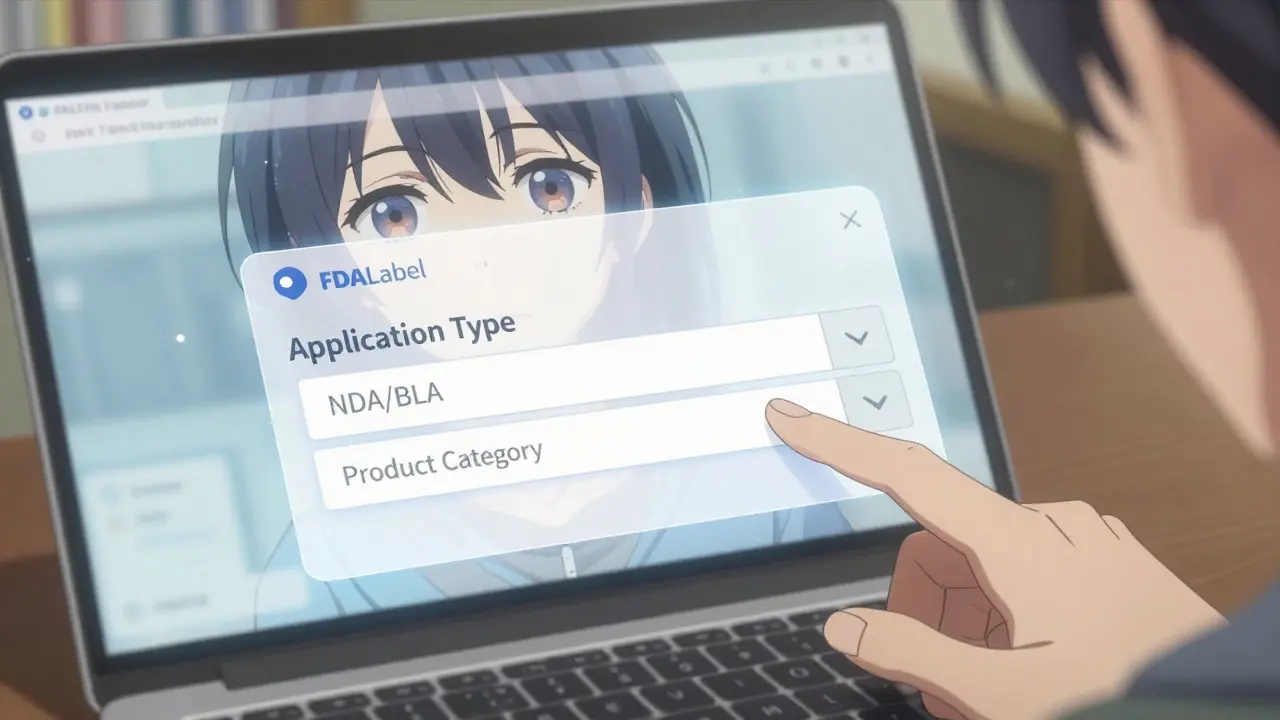
You don't need special software to use FDALabel. It runs entirely in your web browser at nctr-crs.fda.gov/fdalabel. When you first land on the page, you'll see a clean search bar and several dropdown menus. These menus are where the power lies. Instead of typing a single keyword, you can filter your search before you even hit enter.
Here is how to set up a basic but effective search:
- Select Application Type: Choose between New Drug Applications (NDA), Biologics License Applications (BLA), or Abbreviated New Drug Applications (ANDA). If you aren't sure, leave this blank to search all types.
- Choose Product Category: Narrow down to Human Prescription, OTC, or Animal Drugs. This prevents irrelevant results from cluttering your view.
- Enter Your Keywords: Type the drug name, ingredient, or symptom you are investigating.
- Refine by Section (Optional): This is the game-changer. You can limit your search to specific parts of the label, such as "Boxed Warnings," "Adverse Reactions," or "Drug Interactions."
For example, if you want to know which antidepressants mention "suicidal ideation" in their boxed warnings, you wouldn't just search for "antidepressant suicidal ideation." You would select the relevant drug class, choose "Boxed Warnings" as the section, and then type your keywords. This returns only the labels where that specific warning appears in that specific high-priority section.
Advanced Search Techniques for Better Results
Once you get comfortable with the basics, you can unlock more sophisticated features. The FDALabel interface supports complex queries that help researchers and professionals dig deeper.
Using MedDRA Terms
Medical terminology can be inconsistent. One doctor might call a side effect "dizziness," while another calls it "vertigo." FDALabel integrates with MedDRA (Medical Dictionary for Regulatory Activities), a standardized medical terminology system. By searching using MedDRA standard terms, you capture all variations of a symptom across different drug labels. This is essential for comprehensive safety studies.
Pharmacologic Class Searches
Instead of searching for individual brand names, you can search by pharmacologic class. For instance, if you want to compare the liver toxicity warnings across all ACE inhibitors, you can select that drug class and run a full-text search for "hepatotoxicity." This saves hours of manual cross-referencing.
Saving and Sharing Queries
A standout feature in Version 2.9 is the permanent query link. After running a complex search, the system generates a unique URL that captures all your filters and keywords. You can bookmark this link or share it with colleagues. When they open it, they see the exact same results you did. This is incredibly useful for team collaboration or documenting your research process.
Exporting and Analyzing Data
Finding the right documents is only half the battle. Often, you need to analyze trends across hundreds of labels. FDALabel makes this easier with robust export options.
In the past, users could only download results as CSV files. The July 2024 update introduced Excel export capabilities. This new format includes two sheets: one with your actual search results and another with metadata like the query link, result links, and export timestamp. This makes it much easier to track where your data came from and when it was pulled.
When exporting, keep these tips in mind:
- Check the Date: Always note the export date. Drug labels change frequently. A search done today might yield different results next month if a manufacturer updates their warning language.
- Use Filters Before Exporting: Don't export thousands of rows if you only need fifty. Use the on-screen filters to narrow your dataset before clicking export. This keeps your spreadsheet manageable.
- Leverage the Locked Header: In the results table, the header row stays fixed as you scroll. This helps you keep track of column meanings even when viewing long lists of documents.
Who Should Use FDALabel?
While anyone can access FDALabel, certain groups benefit the most from its specialized features.
Regulatory Professionals: Compliance officers use FDALabel to verify that marketing materials match the approved label language. Since the database holds the authoritative source, it eliminates guesswork during audits.
Clinical Researchers: Scientists studying adverse events use the MedDRA integration to identify patterns in side effects across multiple drugs. The ability to search within "Adverse Reactions" sections specifically helps them isolate relevant data from general descriptions.
Healthcare Providers: Pharmacists and doctors sometimes use FDALabel to double-check obscure interactions or dosing adjustments for off-label uses. It serves as a quick reference for the most current prescribing information.
Patient Advocates: Individuals managing chronic conditions can use the tool to research potential side effects of new medications. By reading the full label, patients gain a clearer understanding of risks beyond what a brief consultation might cover.
Limitations and Things to Watch Out For
FDALabel is powerful, but it isn't perfect. Understanding its limits will save you frustration.
No Clinical Decision Support: FDALabel provides data; it doesn't interpret it. It won't tell you if Drug A interacts badly with Drug B unless that interaction is explicitly written in the label. It also doesn't integrate with electronic health records (EHRs), so you can't automatically pull patient-specific alerts.
Learning Curve: The interface assumes some familiarity with regulatory terms. Concepts like "NDA" vs. "ANDA" or "Pharmacologic Class" might confuse beginners. Take time to read the Quick Start Manual provided by the FDA to understand these categories.
Static Snapshots: While the database updates twice monthly, there is a slight lag between when a manufacturer submits a change and when it appears in FDALabel. For the absolute latest emergency safety communications, check the FDA's main website directly.
Integrating with Other FDA Resources
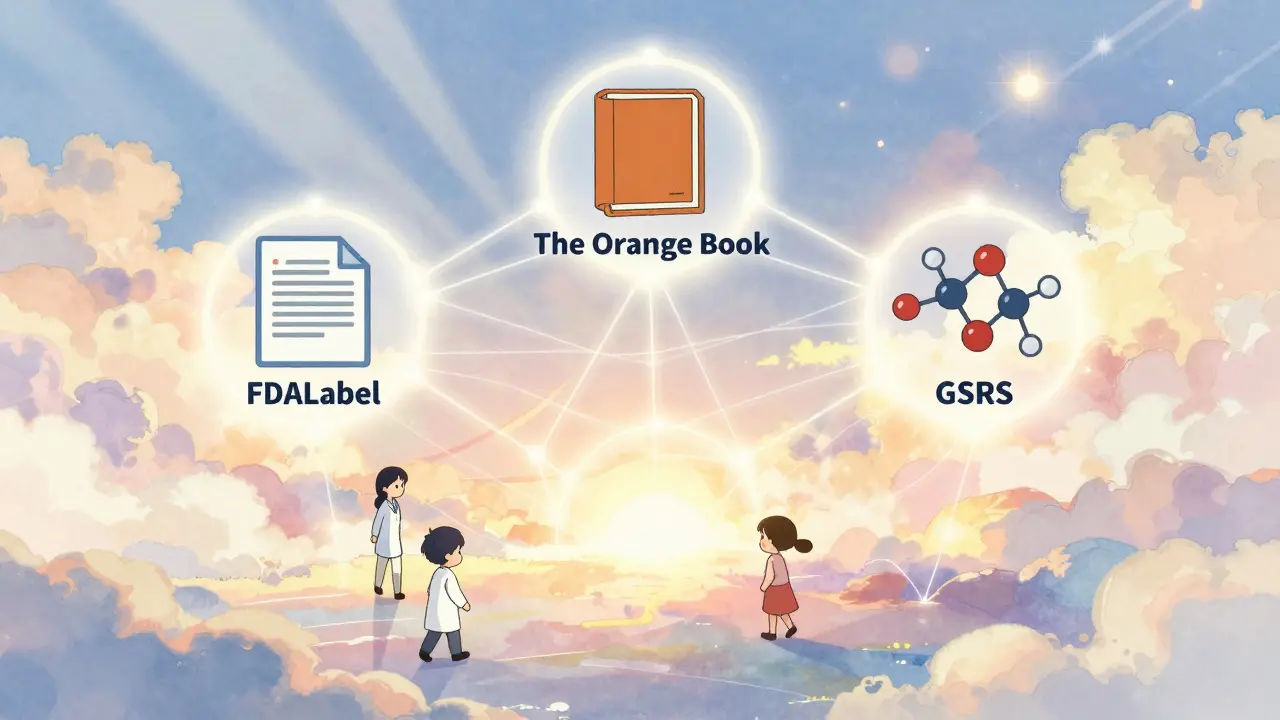
FDALabel doesn't exist in isolation. It connects seamlessly with other key FDA databases, creating a comprehensive ecosystem for drug information.
- Drugs@FDA: Use this to view approval history and regulatory actions. FDALabel gives you the content; Drugs@FDA gives you the context of when and why approvals happened.
- The Orange Book: Essential for finding generic equivalents. Once you identify a brand-name drug in FDALabel, check the Orange Book to see available generics.
- Global Substance Registration System (GSRS): Provides detailed information on ingredients, including chemical structures and synonyms. This helps clarify ambiguous substance names found in labels.
By combining these tools, you build a complete picture of a drug's lifecycle-from its chemical composition to its market status and safety profile.
Future Trends: AI and Beyond
The landscape of drug information is evolving. Recent academic research has explored integrating FDALabel with Large Language Models (LLMs) through frameworks like AskFDALabel. This approach uses Retrieval-Augmented Generation (RAG) to combine the precision of database queries with the conversational ability of AI. Imagine asking, "Which beta-blockers have warnings about fatigue in elderly patients?" and getting a summarized answer backed by direct links to the relevant label sections.
While FDALabel itself remains a traditional search tool for now, the underlying data structure is perfectly suited for AI analysis. As natural language processing improves, we can expect more intuitive interfaces that allow users to ask questions in plain English rather than constructing complex boolean queries.
For now, mastering the current version of FDALabel gives you a significant advantage. It is free, authoritative, and constantly growing. Whether you are conducting deep research or simply wanting to understand your medication better, taking the time to learn this tool pays off in accuracy and confidence.
Is FDALabel free to use?
Yes, FDALabel is completely free. It is a public resource maintained by the U.S. Food and Drug Administration (FDA) and requires no subscription or registration to access.
How often is the FDALabel database updated?
The database is updated twice monthly. This ensures that new drug approvals and label changes are incorporated regularly, though there may be a short delay compared to real-time submissions.
Can I search for over-the-counter (OTC) drugs in FDALabel?
Yes. FDALabel includes labeling documents for human prescription drugs, biological products, over-the-counter (OTC) medications, and animal drugs. You can filter your search by product category to focus on OTC items.
What is the difference between FDALabel and DailyMed?
Both tools host Structured Product Labeling (SPL) documents. However, FDALabel offers more advanced search functionality, including the ability to search within specific label sections (like Boxed Warnings) and by pharmacologic class. DailyMed is primarily a viewer for individual drug labels, while FDALabel is designed for comparative and bulk searching.
How do I save my search results for later?
You can export your results as a CSV or Excel file. Additionally, FDALabel provides a permanent query link for each search. Bookmarking this link allows you to return to the exact same search parameters and results at any time.
Does FDALabel provide pricing information for drugs?
No. FDALabel focuses solely on regulatory labeling content, such as safety warnings, indications, and dosage instructions. It does not include commercial data like pricing, availability, or market analytics.



9 Comments
Oh my goodness, this is absolutely fantastic information!!! I have been struggling so much with trying to find specific side effects for my mother's new medication and it has been such a headache!! This tool sounds like a dream come true for anyone who wants to be proactive about their health! The fact that you can search within specific sections like Boxed Warnings is just incredible because usually you have to read through pages and pages of boring text to find one tiny sentence that matters! I am so excited to try this out today and see if I can finally understand what those cryptic warnings mean without calling the doctor every five minutes! Thank you so much for sharing this gem with us all!
You think this database is safe? Please. The FDA is a front for Big Pharma. They control the narrative by controlling the data. SPL data is structured to hide the real adverse events. When they say 'updated twice monthly,' they are curating what you see. MedDRA terms are designed to obscure the truth by standardizing language into meaningless bureaucratic codes. Do not trust the government's version of reality.
While skepticism regarding regulatory bodies is understandable, it is important to distinguish between official labeling documents and marketing materials. The FDALabel database provides access to the exact text submitted by manufacturers and approved by regulators, which serves as a legal record. Utilizing these resources allows for greater transparency in understanding prescribed treatments. It is beneficial to approach medical research with both caution and an open mind towards verified data sources.
i get where sean is coming from but honestly i think people just need to take responsibility for their own health info instead of blaming the system everything feels like a conspiracy sometimes but this tool actually helps me feel less alone in figuring out what my meds do to me its nice to have something concrete to look at rather than just trusting whatever the pharmacist says quickly
This is all irrelevant. You're missing the point entirely. The interface is clunky, the search results are often misleading, and the whole concept of relying on self-reported manufacturer data is flawed. Why are we even discussing this? It's a waste of time. Stop pretending this solves anything.
bro this is huge man like seriously why didnt anyone tell me about this before?? i was spending hours digging through pdfs for my pharmacology class and now i realize i could have just used this damn thing lol the export feature is sick too u can just grab the data and analyze it yourself no more copying and pasting manually like a peasant keep grinding and stay informed yall
Sure, sure, great tool. Because nothing says 'trustworthy healthcare' like a government database that updates every two weeks. Oh wait, that's exactly how they want us to feel. Safe and secure while they quietly change the warning labels behind closed doors. Thanks for the tip though, I'll definitely use it to confirm what I already know is wrong.
this is really useful for my research project im doing right now i had no idea i could filter by section before so i was reading everything and getting so confused but now i can just look at the warnings part directly which saves so much time thank you for posting this it helps a lot
The utility of this resource is significant for verifying label content.
Write a comment